

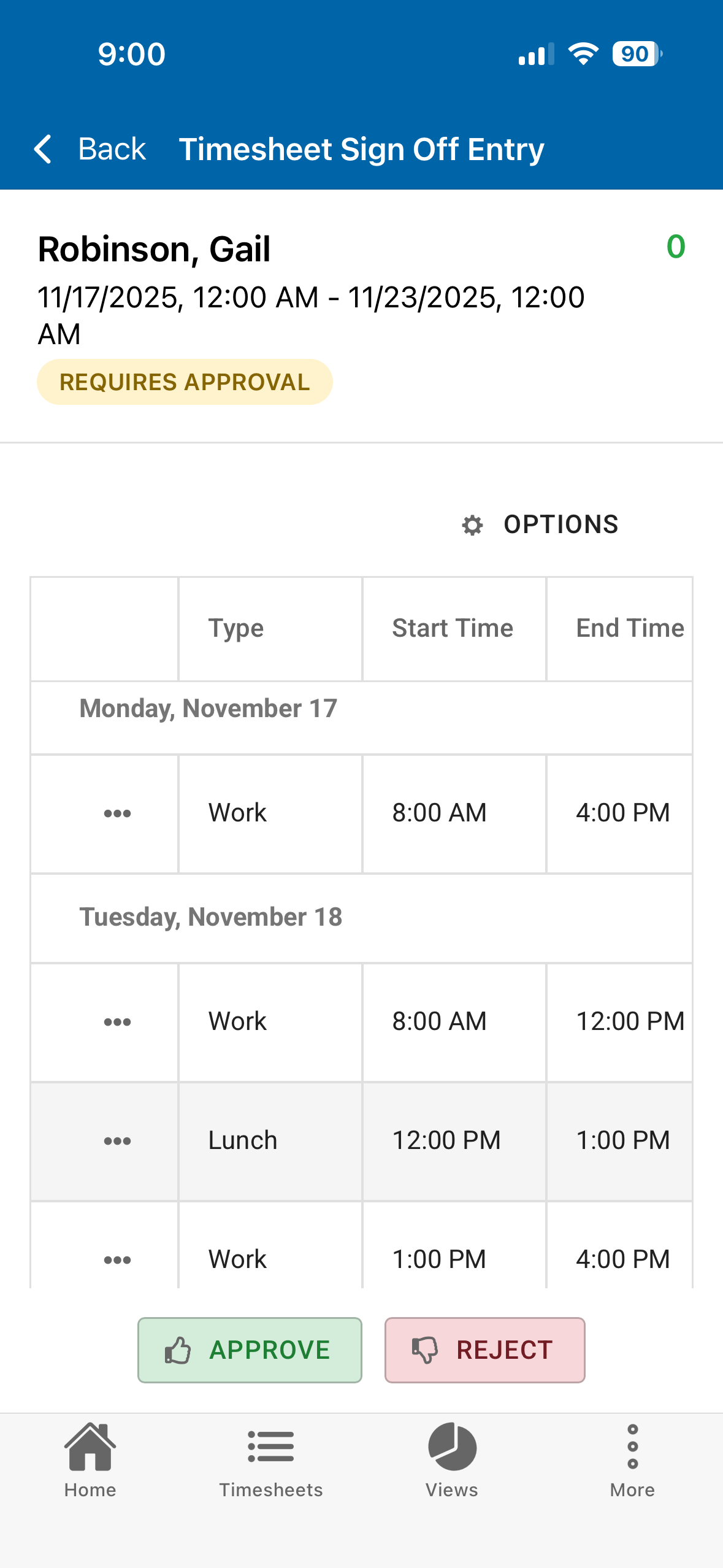
 In TimeControl 8.6.1, we introduced Timesheet Sign-off. This feature is designed for a situation where compliance regulations require that an employee approve of the hours entered on their behalf. This might include when a short break was given and when a meal break occurred along with the total time worked. There are a number of government compliance requirements that insist that each employee sign-off on the summary of the timesheet. These government regulations don’t care much about what was done at the time but they care very much about how much time the employee worked and whether they were given appropriate work breaks. This is common to the California Work Rules regulations and for some DCAA contracts.
This can be easily done in TimeControl of course, but there are numerous business situations where the end-user employees will have all this data entered for them. In those situations we don’t need to have each employee (some of which may be part time or temporary) fully trained on using and filling in TimeControl but we still must allow them to review the data entered on their behalf and agree that it is accurate.
We do this with Timesheet Sign-off.
The feature is available both on TimeControl on the web and on the free TimeControl Mobile App. The end user can see any timesheets done for them, look at the details and the start/stop information then simply click on the Accept or Reject button.
Centrally, all timesheets can be reviewed to see that they were accepted and deal with any exceptions.
The employee must have a TimeControl User license but their involvement with TimeControl is so simple it shouldn’t require any training at all.
The feature must be activated by the Administrator and is part of TimeControl, TimeControl Online, TimeControl Industrial and TimeControl Industrial Online.


 This is a great question and one faced by any organization that is shifting from paper-based timesheets to an automated system. Signature approvals are designed to have evidence that the person who signed the document actually saw the document they signed and their signature signifies their approval of the content. There are two main areas of reluctance for auditors to accept an automated version of a signature in a computer-based timesheet:
You must be logged in to post a comment.